Done-it! — chores your kids actually want to finish
Done-it helps families turn everyday tasks into something kids actually want to finish.
Kids see their progress at a glance; parents stay in charge of what needs doing, what counts as done, and how stars turn into real rewards.
What you see here matches the real app — same screens, colors, and layout — so you know exactly what your family gets.
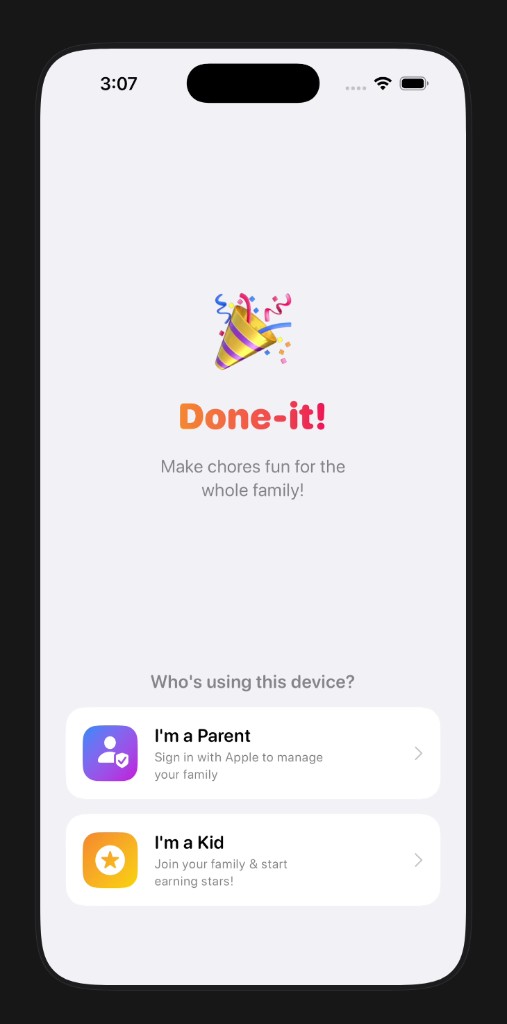
Who’s using this phone?
When someone opens Done-it, they choose parent or kid. Parents sign in with Apple so the household stays connected; kids enter a family code and land on their own space to earn stars.
One clear screen — no mixed-up accounts on a shared device
Kids can get started in seconds once they have the code
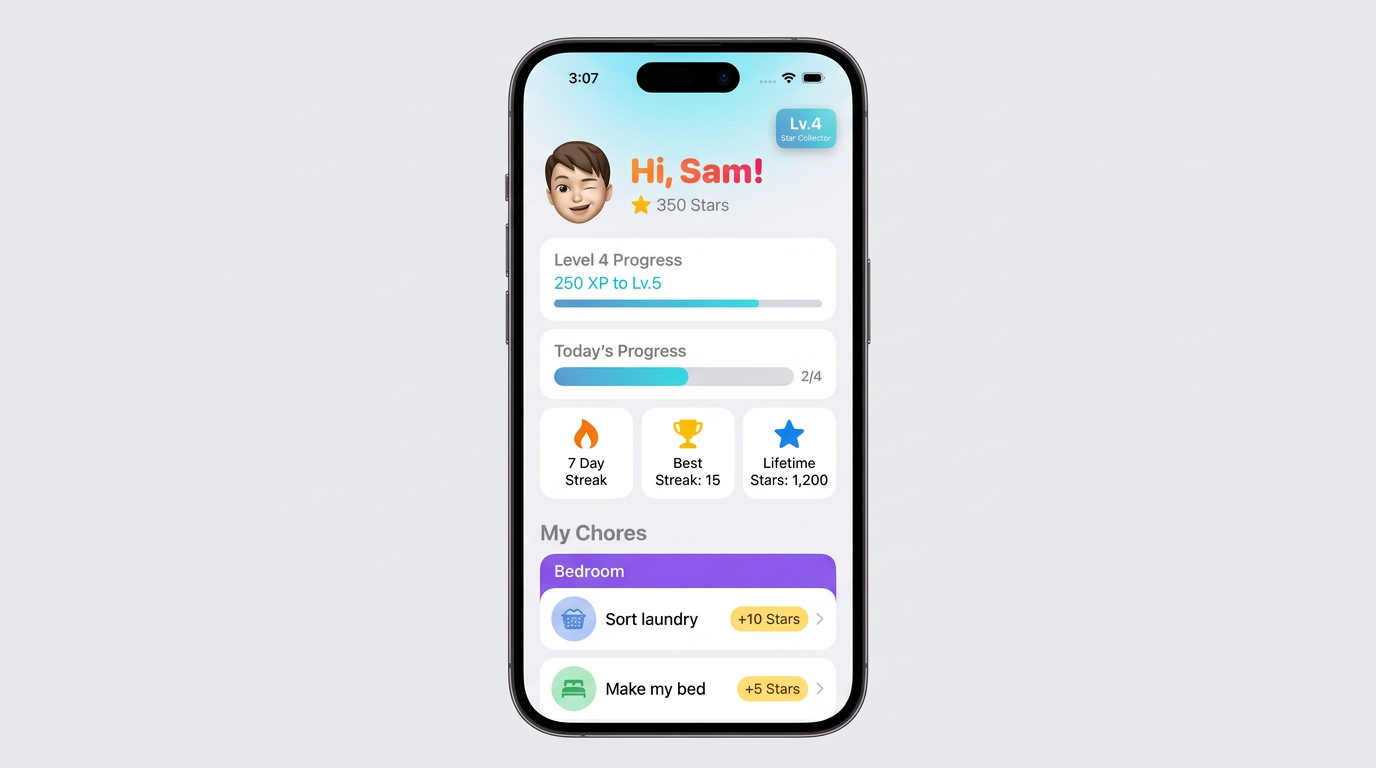
Kids see “My Chores”
Each child gets a friendly home screen: their avatar, how many stars they’ve earned, and what level they’re on.
They can watch today’s list fill in as they go, and see how close they are to the next level — with a little fanfare when they finish the day or level up.
Streaks and “best ever” stats so effort feels visible
Chores grouped by room or topic (bedroom, kitchen, homework, pets, and more)
Tap to mark done; stars and celebrations keep momentum going
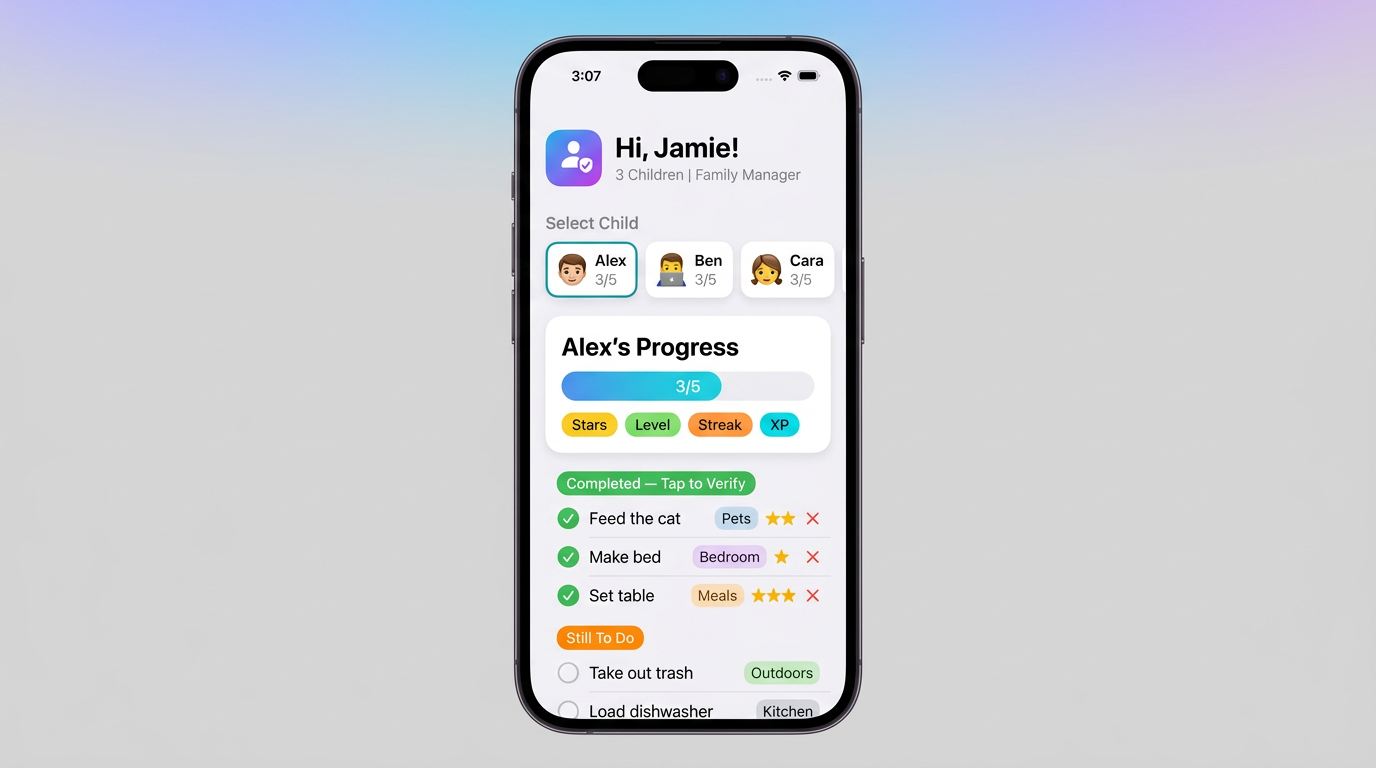
Parents: check in, then say “yes”
Swipe through your kids and see how each one’s day is going — stars, level, streak, and what’s left on the list, all in one place.
When a chore is marked done, you give the final thumbs-up so stars only count for work you’re happy with.
Waiting for you vs. still to do — so nothing slips through
Stars and categories stay visible on every line
Quick counts per child (like 2 of 5) when you’re in a hurry
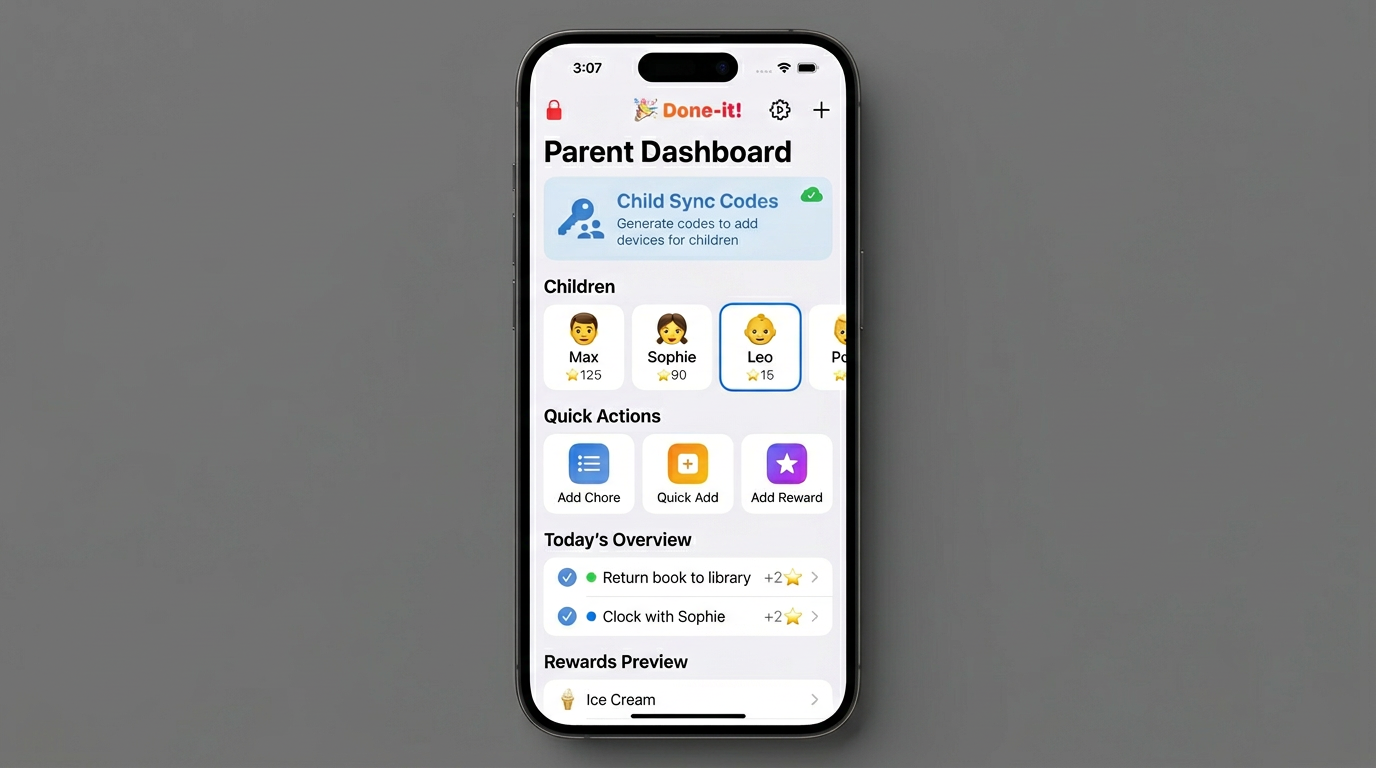
The grown-ups-only area
Behind a parent lock, Manage is where you run the household: share a family code for new devices, pick which child you’re editing, and jump straight to adding chores, using quick suggestions, or creating rewards.
One list for today — see what’s done, what’s scheduled, and how many stars each chore is worth
Open rewards or child settings without digging through menus
Lock, settings, and extras stay together in the toolbar
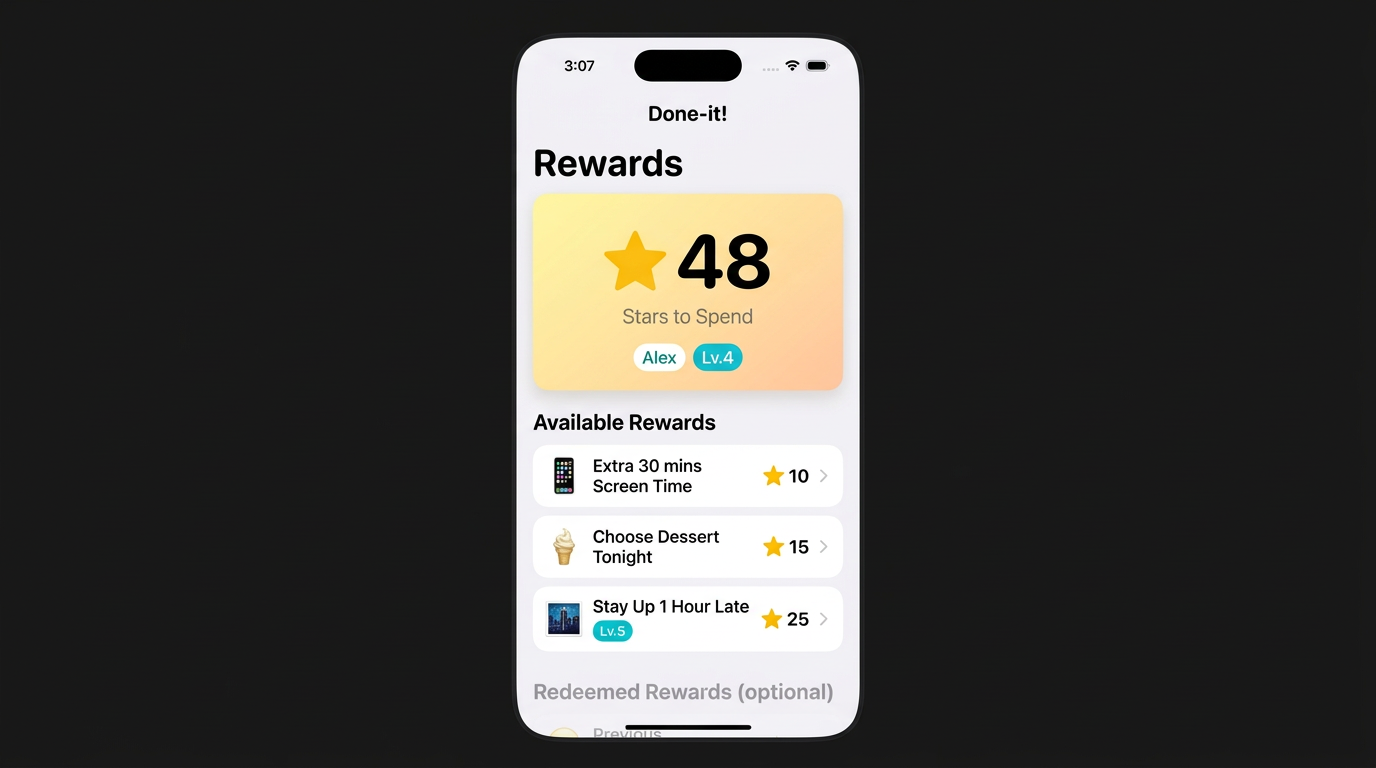
Rewards they can actually earn
Stars aren’t just points — they’re the “money” kids save toward things you agree on. Everyone sees the balance up front; parents add prizes, kids redeem them with a simple confirm step.
You can even tie some rewards to reaching a certain level, so bigger goals feel special.
Browse what’s available, what unlocks with level, and what’s already redeemed
Clear star prices and friendly icons keep it concrete for young kids
How families use Done-it
Parents sign in with Apple; kids join with a family code and choose their profile. Here’s how that plays out day to day.
Chores that fit real life
Add your own tasks or start from suggestions — bedroom, kitchen, homework, pets, and more — with colors so kids can scan the list at a glance.
Fair motivation
Stars from chores feed XP (with streak bonuses), level titles from “Tiny Helper” up to “Ultimate Champion,” and a dedicated rewards list so effort maps to outcomes kids choose.
Parent peace of mind
Separate modes for kids and parents, a lock on anything sensitive, optional cloud sync when you want it, and a way to undo if something was marked done by accident.
Feels good to use
Smooth motion, satisfying feedback when progress updates, and full-screen celebrations when kids finish chores or hit a new level.
Stay in sync
When cloud sync is on, everyone’s devices can share the same family picture — handy when parents and kids don’t share one phone.
Your family, your rules
You choose the chores, the star values, and the rewards. Done-it is the structure; your household sets the tone.
Get Done-it on the App Store
We’re finishing the listing now. Check back soon — or scroll up anytime for a full walkthrough of what the app does.